


Ready to join? MTD for Income Tax is currently voluntary, and you can register at any time.
As mentioned in part 1 of this guide, there are numerous benefits to enrolling early to MTD IT, including beating the rush, getting ready while no financial penalties apply, and accessing dedicated support options from HMRC and AbraTax.
To get started, you’ll need a Government Gateway MTD account (create one on GOV.UK if you don’t have one).
This article walks you through the step-by-step MTD IT sign-up process, including the key documents needed and how to link your MTD software to HMRC once your registration is complete.
Watch: Step-by-step demo using AbraTax - connect an MTD IT registration
1. Before You Start: MTD Income Tax Checklist
Before you begin your HMRC MTD sign-up, make sure you have the following ready:
- Government Gateway login and password
- National Insurance number
- Business details: name, address, trade type (for example, “consultant”), and start date (if recent)
- Rental information: UK or overseas property, and start date
- Accounting period: 6 April–5 April or 1 April–31 March
- Email for HMRC notices
- AbraTax account created and ready to connect
If you're unsure who needs to join or what records to keep, Part 1 of our MTD guide explains this in detail.
2. Step-by-Step MTD ITSA Registration
Step 1: Sign in to HMRC
Go to the officialHMRC MTD sign-up page. Log in using your Government Gateway MTD credentials. Verify your identity using a code, security questions, or photo ID.
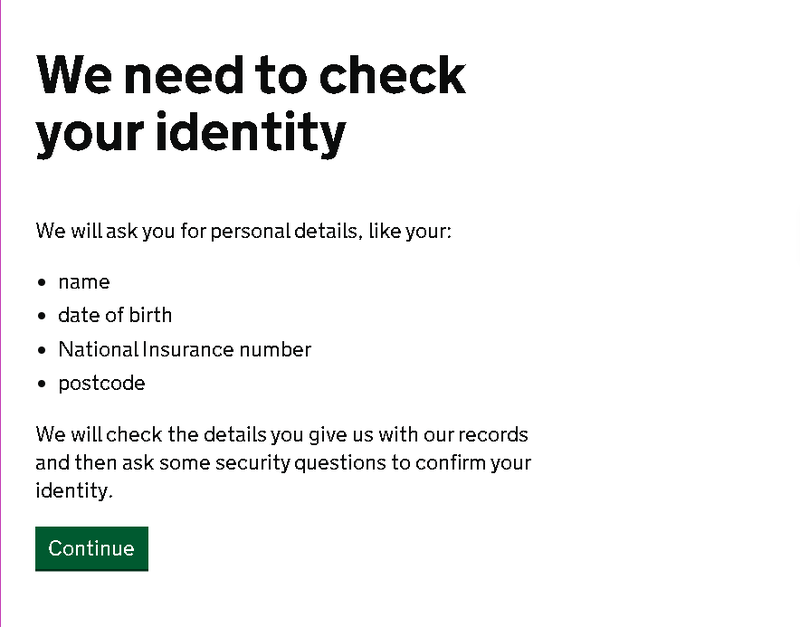
Step 2: Start Your MTD Journey
Select “Making Tax Digital for Income Tax” and continue. This begins your MTD IT registration process with HMRC.
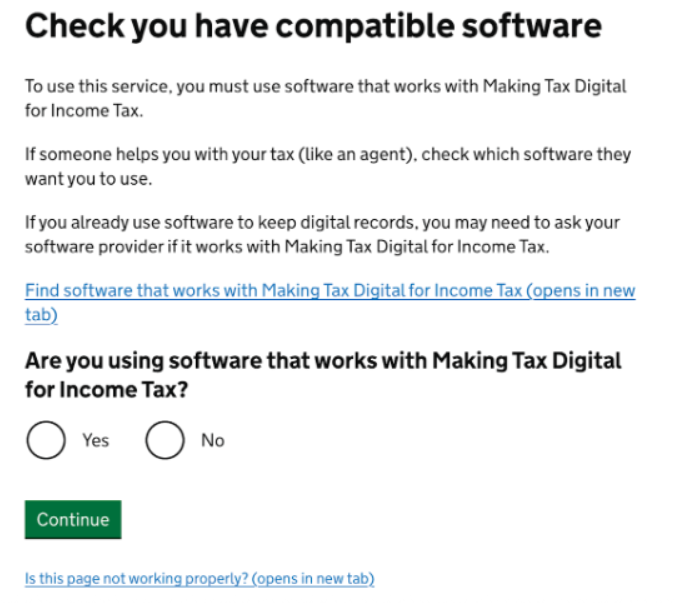
Step 3: Confirm Your Software
Tick to confirm that you’ll use compatible MTD software. AbraTax is HMRC-recognised software.
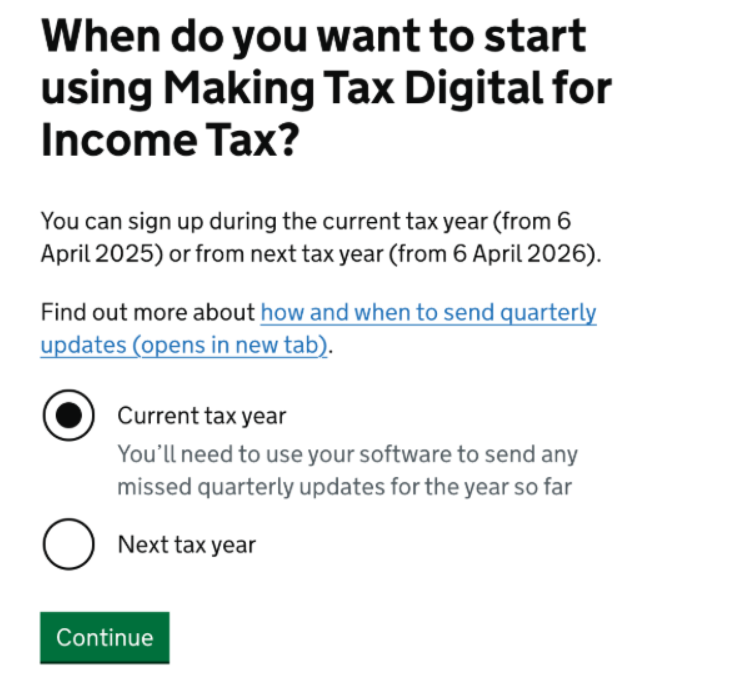
Step 4: Choose Your Start Date
Pick your start date, either the current tax year or the next one, depending on your accounting period.
Step 5: Select Accounting Period
Choose between a tax-year basis (6 April–5 April) or a calendar-year basis (1 April–31 March). Make sure this matches how your books are maintained.
If you're unsure which option applies to you, see Part 1 - Making Tax Digital for Income Tax Explained: Deadlines, Rules and How to Prepare for a full breakdown of MTD deadlines and accounting-period choices.
Step 6: Give Email Permission
Opt in for HMRC emails and enter your email address to receive MTD-related notifications.
Step 7: Accept Terms and Conditions
Agree to digital record-keeping, quarterly updates, and the 31 January final submission under MTD for Income Tax.
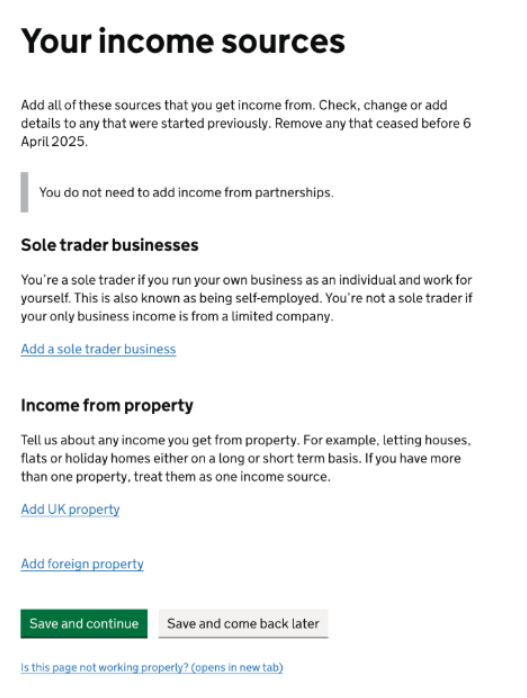
Step 8: Add Income Sources
List all relevant income types: sole trade, UK property, or foreign property (partnerships are not yet supported).
Step 9: Enter Business Details
For each business, add the type, name, and start date, then click Save.
Step 10: Add Your Business Address
Use postcode lookup or enter your address manually.
Step 11: Review and Confirm
Check your summary carefully and confirm your submission. You’ll receive an HMRC confirmation email. Save this as proof of your MTD registration.
After Registration: Connect AbraTax to HMRC
Once you’ve completed your HMRC MTD sign-up, it’s time to authorise your MTD software.
- Open AbraTax and select “Connect to HMRC for Income Tax.”
- You’ll be redirected to HMRC’s site. Sign in using your Government Gateway MTD credentials and grant authorisation for AbraTax.
- You’ll be redirected back to AbraTax. Your connection is now active.
- Once connected, you're ready to start filling in quarterly updates. Read Part 3 - Getting Started with AbraTax: HMRC-Recognised Software for MTD IT to see how.
Your authorisation lasts for 18 months, and you'll be reminded to renew it once it expires.
Watch: See how quarterly updates work - How to file an MTD IT return in AbraTax.
Summary
Your MTD Income Tax registration is now complete. You’re officially ready to manage your taxes digitally, file quarterly updates, and stay compliant with HMRC’s Making Tax Digital for Income Tax requirements.
Our next and final part 3 article in this guide series walks you through how to use AbraTax with HMRC MTD for Income Tax programme.
If you haven't already, don't forget you can sign up for an AbraTax MTD for Income Tax account here.